Steps to connect to Trinibanter chat server!
First thing to do is download the Element app from the app store.
For Android use: https://play.google.com/store/apps/details?id=im.vector.app
For Iphone use: https://apps.apple.com/app/vector/id1083446067
Once you have the app, start it up and and create a new account!
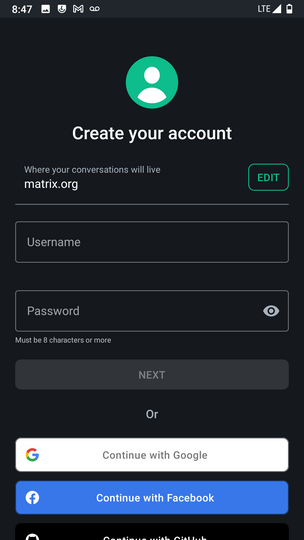
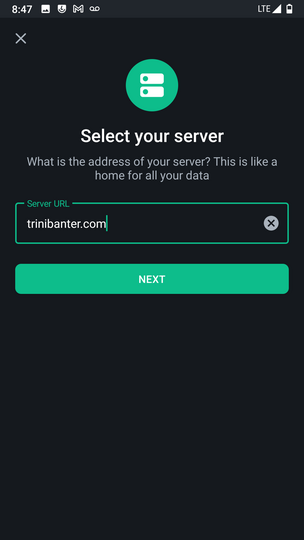
The important part about creating a new account is replacing "matrix.org" with "trinibanter.com"
Once you create an account you need to sign in and you're done!
The important part about logging in is also replacing "matrix.org" with "trinibanter.com"
Here are the screenshots of the App.
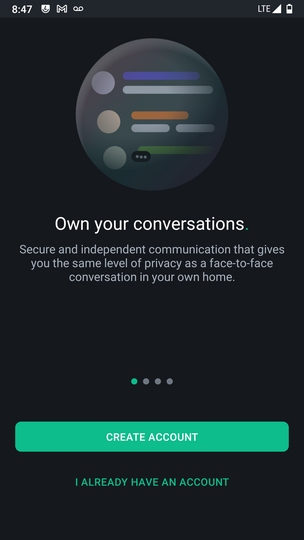
When you load the app you should see this screen. Click Create
Account
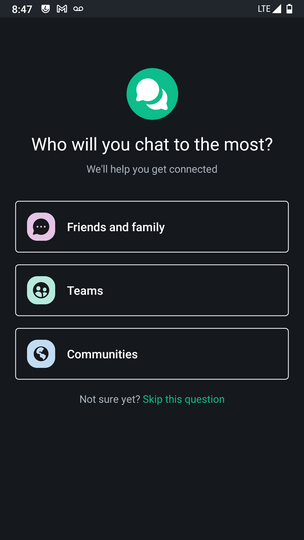
When you see this screen, click Skip This Question
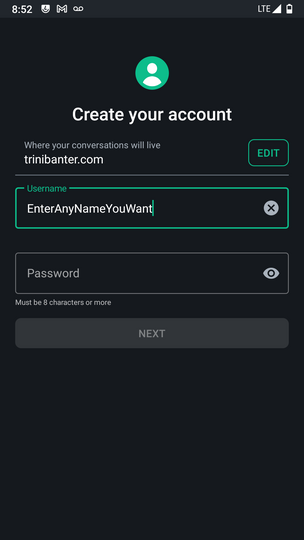
This is the create account screen. Click EDIT
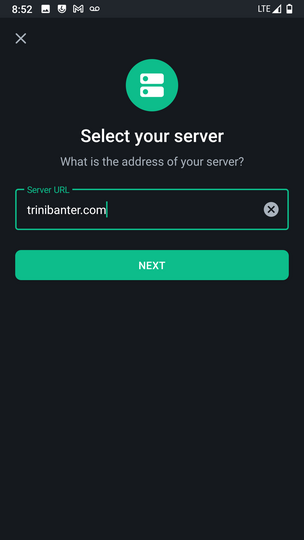
You will see this. Replace matrix.org with trinibanter.com
Then enter whatever name and password you want! (don't forget lol)
Once your account is created you can Login
But don't forget to click EDIT
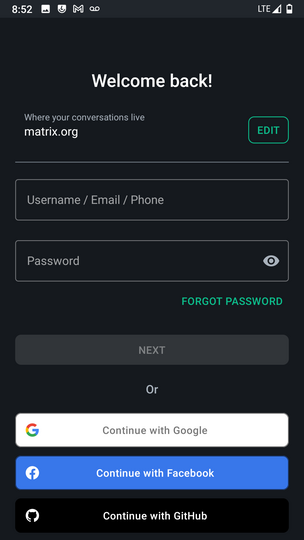
Once again you'll need to replace matrix.org with
trinibanter.com
Then you can login with whatever name and password you created before
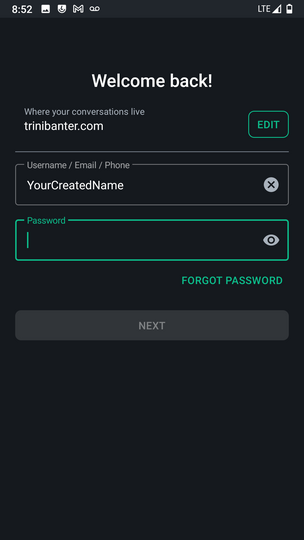
And thats it! You should be logged in!
If you run into any issues let me know! =]
Have a good one!